


eMule Store Edition'i İndirin – Windows, Mac ve Android için Ücretsiz Dosya Paylaşım Yazılımı
Keşfedin eMule Store Edition, kullanıcıların eDonkey ağı üzerinden dosya indirmesine ve paylaşmasına olanak tanıyan güçlü ve güvenli bir dosya‑paylaşım aracını. Bu ücretsiz, açık kaynaklı yazılım Windows 10, Windows 8, Windows 7, Mac OS ve Android cihazları destekler ve bugün mevcut en çok yönlü dosya‑paylaşım uygulamalarından biridir. Akıllı bozulma yönetimi ve verimli indirme önceliklendirmesi sayesinde, eMule Store Edition büyük multimedya dosyalarında bile sorunsuz bir deneyim sunar.
Nadir yazılımlar, müzik, film veya belgeler arıyor olun, bu araç hızlı ve güvenilir performans sağlar. Sezgisel arayüzü yeni başlayanlar için dostken, gelişmiş özellikleri ileri düzey kullanıcıları da memnun eder. Düzenli güncellemeler yazılımı güvenli ve ağ standartlarındaki değişikliklere uyumlu tutar.
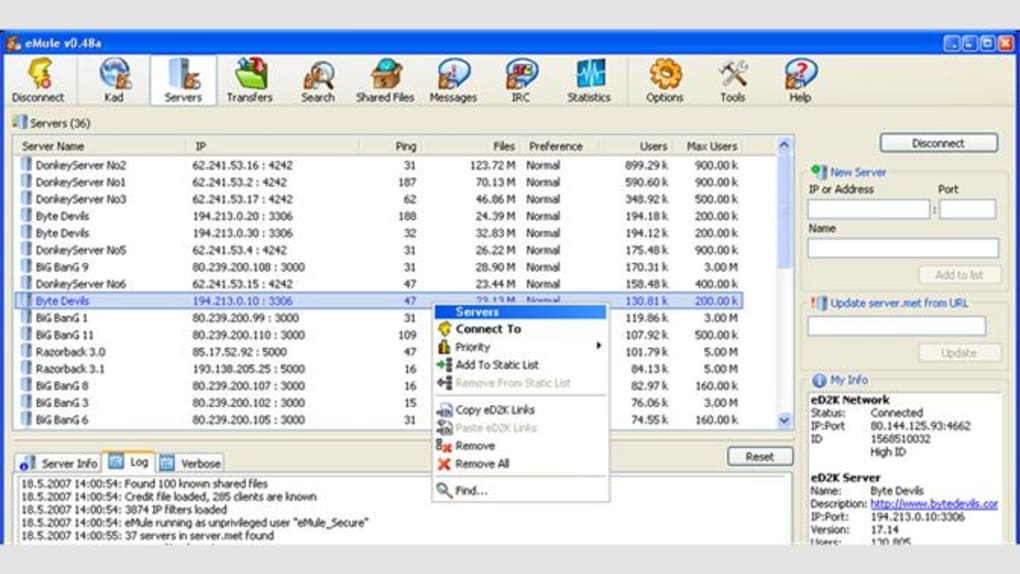
Merkezi sunucu dizini, kullanıcıların dosyaları hızlıca bulmasını sağlar; ancak optimum bağlantı için zaman zaman sunucu listesi güncellenmesi gerekebilir.
Why eMule Store Edition Stands Out in File Sharing
When it comes to peer-to-peer file sharing, eMule Store Edition stands out for its robust architecture and user-centric design. Unlike many modern alternatives, eMule leverages the eDonkey network—a decentralized yet structured system that allows users to share files efficiently. One of its most impressive features is Intelligent Corruption Handling, which detects and repairs corrupted file chunks during download without requiring a full re-download. This significantly reduces bandwidth waste and speeds up the overall process, especially when downloading large files like high-definition videos or software installers.
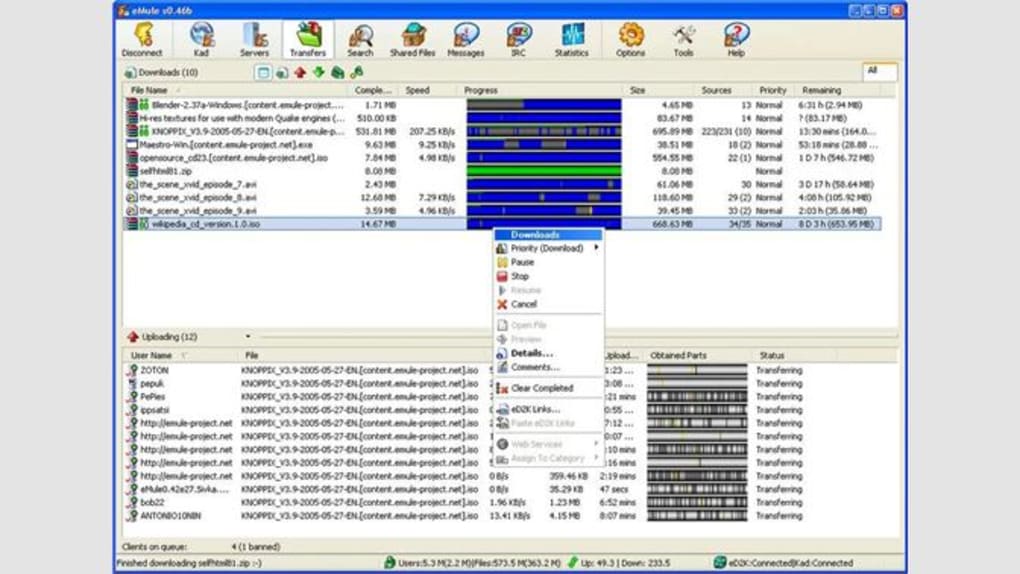
Another major advantage is the software’s priority management system. eMule automatically assigns download priorities based on file type, availability, and user preferences, ensuring that essential files are completed faster. For example, if you’re downloading both a movie and a software package, you can set higher priority to the movie so it finishes first. The tool also supports source filtering, allowing you to avoid low-speed or unreliable peers, which improves download stability.
Security is another key strength. The eMule Store Edition uses encryption and anonymous connection protocols to protect your identity and data. While no file-sharing tool is 100% anonymous, eMule’s built-in safeguards make it significantly safer than unsecured alternatives. Additionally, the software is completely free and open-source, meaning its code is publicly available for review, ensuring transparency and reducing the risk of hidden malware or backdoors. This level of trust is rare in today’s software landscape, especially for file-sharing tools.
Easy Installation & Seamless Usage Across Devices
Installing eMule Store Edition is straightforward, whether you're using Windows 10, Mac OS, or an Android device. For Windows users, simply visit the official website, download the installer, and run it. The setup wizard guides you through the process with minimal configuration required. After installation, the software automatically connects to the eDonkey network, scans for available files, and begins building your local library. The interface is clean and well-organized, with clearly labeled tabs for Downloads, Uploads, Messages, and Servers.
On Mac OS, the process is equally smooth. The .dmg file can be opened and dragged to the Applications folder. No admin rights are needed for basic usage, making it ideal for shared or restricted workstations.
For Android users, the mobile version is available via the official site or trusted app repositories. Once installed, simply connect to the network and start searching. The mobile app syncs with your desktop version, allowing you to manage downloads remotely.
Usage is intuitive. You can search for files using keywords, filter results by file type, size, or availability, and queue multiple downloads simultaneously. The built-in search engine is fast and accurate, pulling results from thousands of active users. You can also set up shared folders—just navigate to the “Shared Folders” tab, add your desired directories, and the software will make them available to others. This feature is perfect for sharing media libraries or backup files with friends and family.
Compatibility, Features & Performance Overview
One of the biggest strengths of eMule Store Edition is its broad compatibility. It runs flawlessly on Windows 10, Windows 8, Windows 7, Mac OS X (10.12 and later), and Android 6.0 and above. This cross-platform support means you can maintain a consistent file-sharing experience whether you're at home, in the office, or on the go. The software is lightweight, consuming minimal system resources, so it won’t slow down older machines.
Key features include:
- Intelligent Corruption Handling – Prevents redundant downloads of damaged file parts.
- Dynamic Download Prioritization – Automatically adjusts download order based on file importance.
- Encrypted Peer Connections – Enhances privacy and security during transfers.
- Server List Updates – Manual or automatic refresh to maintain network stability.
- Source Filtering & IP Filtering – Blocks slow or unreliable peers.
- Remote Control via Web Interface – Manage downloads from any device with a browser.
- Open-Source & Free – No hidden costs, no ads, no tracking.
Performance-wise, eMule delivers consistent speeds, especially when downloading popular files. The network’s decentralized nature means there’s no single point of failure, and multiple sources ensure faster completion times. However, rare or niche files may take longer due to limited availability. Still, the software’s ability to find and connect to multiple sources makes it one of the most reliable tools in its category.
Pros & Cons: Is eMule Store Edition Right for You?
Before downloading, consider the following pros and cons:
Pros:
- Completely free and open-source software
- Supports Windows, Mac, and Android platforms
- Advanced corruption handling improves download reliability
- Strong privacy features with encrypted connections
- Lightweight and efficient on system resources
- Regular updates ensure security and compatibility
- Intuitive interface for both beginners and advanced users
Cons:
- Requires occasional server list updates for optimal performance
- Download speeds depend on file popularity and peer availability
- Not ideal for users seeking instant, high-speed streaming
- Some users may find the interface outdated compared to modern apps
- No built-in media player (you’ll need a separate viewer)
Frequently Asked Questions (FAQ)
Is eMule Store Edition safe to download and use?
Yes, eMule Store Edition is safe to use. It is open-source, meaning its code is publicly available for review. This transparency helps prevent malware or backdoors. The software also uses encrypted connections and anonymous peer communication to protect your privacy. Always download from the official website to avoid modified or infected versions.
Can I use eMule Store Edition on Android?
Yes, eMule Store Edition offers a mobile version for Android devices. You can download it from the official site or trusted app stores. The Android app allows you to search, download, and manage files remotely, syncing with your desktop version for a seamless experience.
How do I update the server list in eMule?
To update the server list, go to the “Servers” tab, click “Delete all,” then select “Update server list” from the menu. This refreshes your connection to active servers and improves network stability. It’s recommended to do this monthly or when you notice connectivity issues.
Is eMule Store Edition free?
Yes, eMule Store Edition is completely free and open-source. There are no ads, no subscriptions, and no hidden fees. You can download, install, and use it on as many devices as you want without limitations.
Can I share files with friends using eMule?
Absolutely. Once you add folders to your shared list, they become accessible to other eMule users. You can share music, videos, documents, or software. Just ensure you’re not sharing copyrighted material, as this may violate local laws.
Final Verdict: A Reliable Choice for File Sharing
If you're looking for a secure, free, and cross-platform file-sharing tool, eMule Store Edition is an excellent choice. Its intelligent features, strong privacy protections, and consistent performance make it a top contender in the P2P space. Whether you're downloading multimedia content, sharing files with family, or managing large data transfers, this software delivers reliable results. While it may not offer the sleek interface of modern apps, its functionality and stability more than compensate.
Download eMule Store Edition today and experience fast, secure, and efficient file sharing across Windows, Mac, and Android devices. Start building your digital library now—no cost, no hassle, just powerful performance.







